10 Essential Shopify Store Optimization Tips to Boost Your Sales in 2025
In today's competitive e-commerce landscape, having a Shopify store is just the beginning. To truly succeed and maximize your sales potential, you need to optimize every aspect of your online store. Whether you're a new entrepreneur or an established business owner, understanding and implementing effective optimization strategies can be the difference between a struggling store and a thriving e-commerce business.
At PyramiqSoft, we've helped numerous businesses transform their Shopify stores into high-converting sales machines. In this comprehensive guide, we'll share 10 essential optimization tips that have proven to increase sales, improve user experience, and boost search engine rankings.
1. Optimize Your Store's Loading Speed
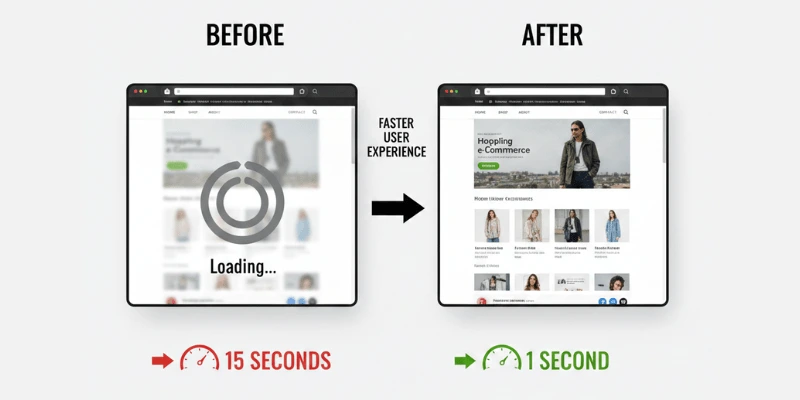
Website speed is one of the most critical factors affecting both user experience and search engine rankings. Studies show that a one-second delay in page load time can result in a 7% reduction in conversions. Google also considers page speed as a ranking factor, making it essential for SEO success.
Key Speed Optimization Strategies:
- Image Optimization:Compress images without losing quality using tools like TinyPNG or Shopify's built-in image optimization. Use WebP format when possible for better compression.
- Minimize Apps:While Shopify apps add functionality, too many can slow down your store. Audit your apps regularly and remove unused ones.
- Enable Lazy Loading:Implement lazy loading for images and videos so they only load when users scroll to them.
- Use a CDN:Content Delivery Networks (CDNs) distribute your content across multiple servers worldwide, reducing load times for international customers.
- Optimize Theme Code:Remove unused code, minify CSS and JavaScript files, and leverage browser caching.
If you're struggling with speed optimization, ourShopify expert servicesat PyramiqSoft can help you achieve lightning-fast load times that improve both user experience and search rankings.
2. Ensure Mobile Responsiveness
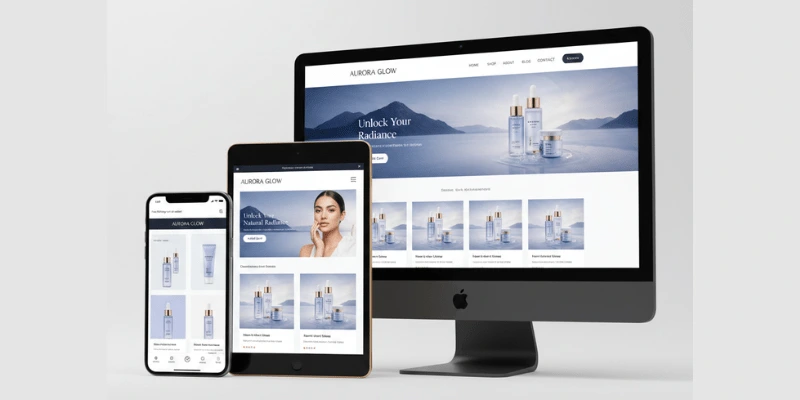
With over 60% of e-commerce traffic coming from mobile devices, having a mobile-responsive Shopify store is no longer optional—it's essential. A poor mobile experience will drive customers away and hurt your search rankings, as Google uses mobile-first indexing.
Mobile Optimization Checklist:
- Test on Multiple Devices:Ensure your store looks and functions perfectly on smartphones, tablets, and various screen sizes.
- Touch-Friendly Buttons:Make sure buttons and links are large enough for easy tapping (minimum 44x44 pixels).
- Readable Text:Use font sizes that are easily readable on small screens without zooming.
- Simplified Navigation:Implement a hamburger menu or simplified navigation for mobile users.
- Mobile Checkout:Streamline the checkout process for mobile users with fewer steps and auto-fill capabilities.
Our team specializes in creating fully responsive Shopify stores that provide exceptional experiences across all devices.Contact usto learn how we can optimize your store for mobile users.
3. Implement SEO Best Practices
Search Engine Optimization (SEO) is crucial for driving organic traffic to your Shopify store. Without proper SEO, you're missing out on potential customers who are actively searching for products like yours.
Essential SEO Strategies:
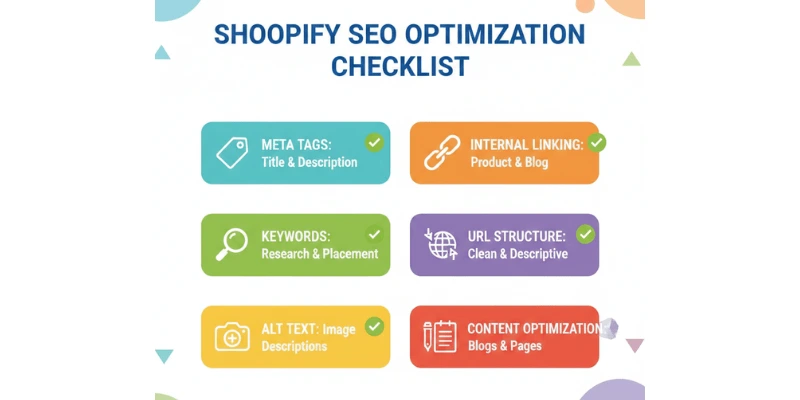
- Keyword Research:Identify high-value, low-competition keywords relevant to your products and industry. Use tools like Google Keyword Planner, Ahrefs, or SEMrush.
- Optimize Product Titles and Descriptions:Include target keywords naturally in product titles, descriptions, and meta tags. Write unique, compelling descriptions for each product.
- URL Structure:Create clean, descriptive URLs that include relevant keywords (e.g., /collections/mens-running-shoes instead of /collections/cat1).
- Meta Tags:Write compelling meta titles (50-60 characters) and descriptions (150-160 characters) that include keywords and encourage clicks.
- Alt Text for Images:Add descriptive alt text to all product images to improve accessibility and SEO.
- Internal Linking:Create a logical internal linking structure that helps search engines understand your site hierarchy and keeps users engaged.
- Blog Content:Regularly publish SEO-optimized blog posts that target relevant keywords and provide value to your audience.
SEO is a complex field that requires expertise and ongoing attention. OurShopify SEO servicescan help you climb the search rankings and attract more organic traffic.
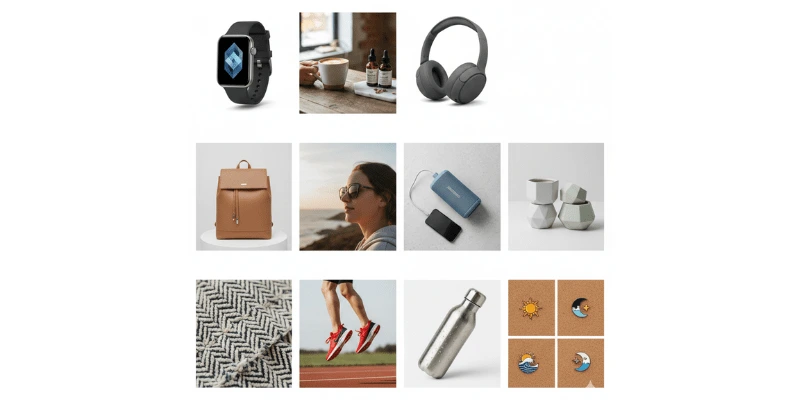
4. Enhance Product Images and Visuals
High-quality product images are essential for e-commerce success. They not only help customers make purchasing decisions but also significantly impact conversion rates. Research shows that products with multiple high-quality images convert 73% better than those with single images.
Product Image Best Practices:
- Multiple Angles:Provide 5-8 images per product showing different angles, close-ups, and lifestyle shots.
- Consistent Style:Maintain a consistent photography style across all products for a professional appearance.
- High Resolution:Use high-resolution images (at least 2048x2048 pixels) that can be zoomed without pixelation.
- White Background:Use clean white backgrounds for product images to maintain consistency and professionalism.
- Lifestyle Images:Include images showing products in use to help customers visualize ownership.
- Video Content:Add product videos when possible, as they can increase conversions by up to 80%.
- Image Optimization:Balance quality with file size to ensure fast loading times.
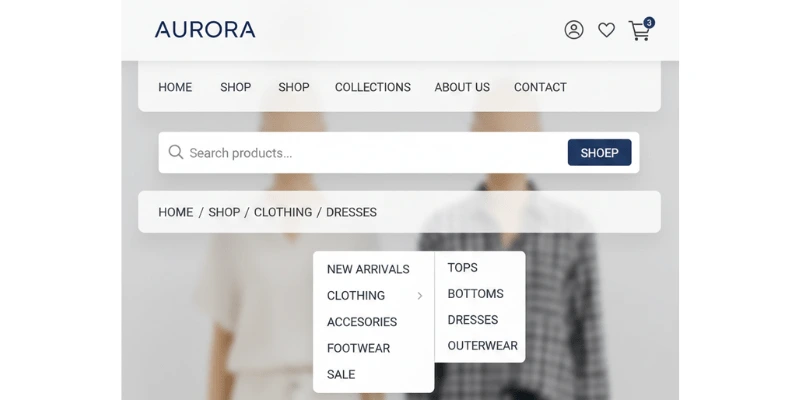
5. Create User-Friendly Navigation
Intuitive navigation is crucial for helping customers find what they're looking for quickly. A confusing navigation structure leads to high bounce rates and lost sales.
Navigation Optimization Tips:
- Clear Categories:Organize products into logical, easy-to-understand categories and subcategories.
- Search Functionality:Implement a prominent, functional search bar with autocomplete and filters.
- Breadcrumbs:Add breadcrumb navigation to help users understand their location and navigate easily.
- Mega Menus:For stores with many products, consider mega menus that display categories and subcategories visually.
- Footer Navigation:Include important links in the footer, such as About, Contact, Shipping, Returns, and Privacy Policy.
- Mobile Menu:Ensure your mobile navigation is intuitive and doesn't require too many taps to reach products.
OurShopify customization servicesinclude creating custom navigation structures tailored to your store's needs and customer behavior.
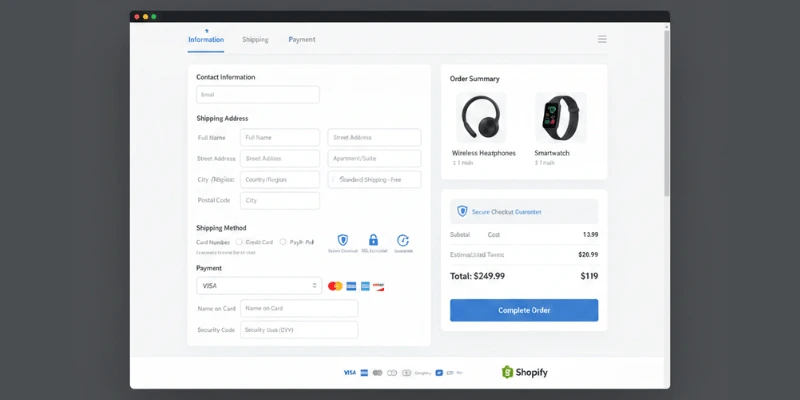
6. Optimize Your Checkout Process
The checkout process is where many potential sales are lost. A complicated or lengthy checkout can cause cart abandonment, which costs e-commerce businesses billions annually.
Checkout Optimization Strategies:
- Guest Checkout:Always offer guest checkout options—forcing account creation can lose 23% of potential customers.
- Progress Indicators:Show customers how many steps remain in the checkout process.
- Auto-Fill Forms:Enable address autocomplete to speed up form filling.
- Multiple Payment Options:Offer various payment methods including credit cards, PayPal, Apple Pay, Google Pay, and buy now, pay later options.
- Trust Signals:Display security badges, SSL certificates, and money-back guarantees to build trust.
- Shipping Calculator:Show shipping costs early in the process to avoid surprises at checkout.
- Order Summary:Keep the order summary visible throughout checkout so customers can review their purchase.
- Abandoned Cart Recovery:Set up automated emails to recover abandoned carts.
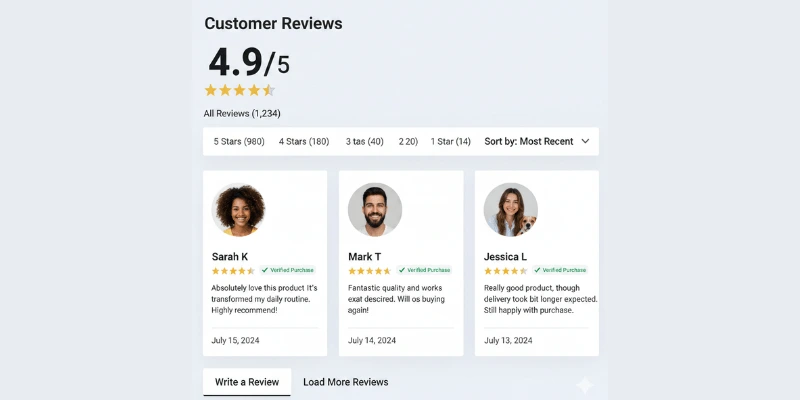
7. Leverage Social Proof
Social proof is a powerful psychological trigger that can significantly boost conversions. Customers trust other customers, and displaying reviews, testimonials, and social media content can build credibility and encourage purchases.
Social Proof Elements to Include:
- Product Reviews:Enable and prominently display customer reviews on product pages. Consider using apps like Judge.me or Stamped.io.
- Testimonials:Showcase customer testimonials on your homepage and key landing pages.
- Trust Badges:Display security badges, certifications, and awards to build credibility.
- Social Media Integration:Show Instagram feeds, user-generated content, and social media reviews.
- Recent Sales Notifications:Use apps to show recent purchases or "X people viewing this product" to create urgency.
- Case Studies:Share success stories and case studies from satisfied customers.
At PyramiqSoft, we help businesses implement effective social proof strategies that build trust and drive conversions.Email usor call+923211802109to learn more.
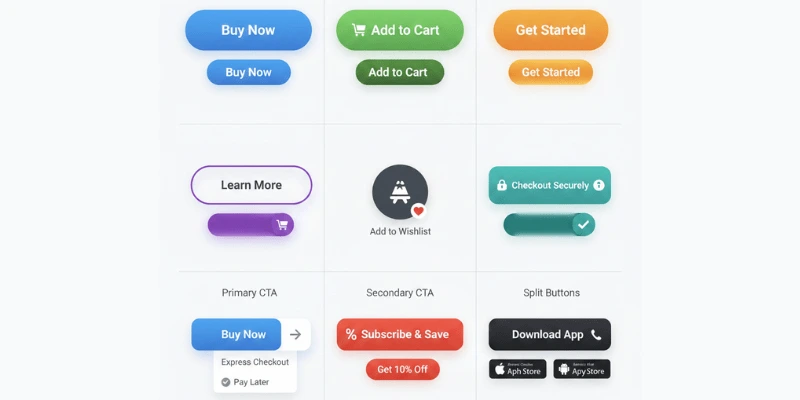
8. Implement Effective Call-to-Actions (CTAs)
Well-crafted CTAs guide customers toward making a purchase. They should be clear, compelling, and strategically placed throughout your store.
CTA Best Practices:
- Action-Oriented Language:Use verbs like "Buy Now," "Add to Cart," "Get Started," or "Shop Now" instead of generic "Click Here."
- Contrasting Colors:Make CTAs stand out with colors that contrast with your site's color scheme.
- Strategic Placement:Place CTAs above the fold, at the end of product descriptions, and in multiple locations on product pages.
- Size and Visibility:Make buttons large enough to be easily clickable but not overwhelming.
- Urgency and Scarcity:Use phrases like "Limited Time Offer" or "Only 3 Left in Stock" to create urgency.
- A/B Testing:Test different CTA variations to find what works best for your audience.
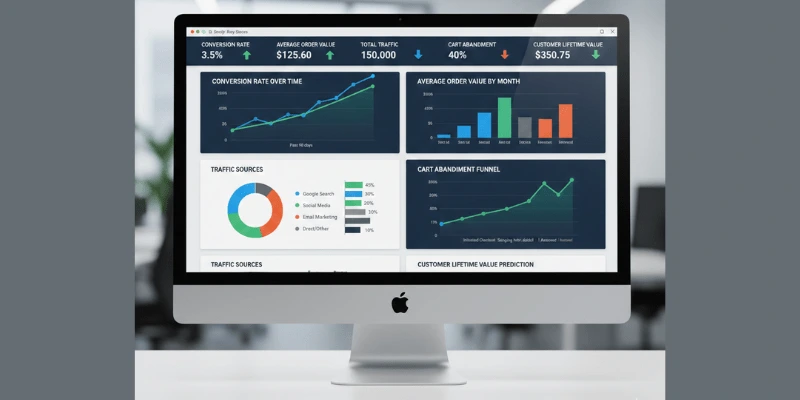
9. Utilize Analytics and Data-Driven Decisions
Regularly analyzing your store's performance data is essential for continuous improvement. Without data, you're making decisions based on assumptions rather than facts.
Key Metrics to Monitor:
- Conversion Rate:Track overall conversion rate and conversion rates by traffic source, device, and product category.
- Average Order Value (AOV):Monitor AOV and implement strategies to increase it through upselling and cross-selling.
- Cart Abandonment Rate:Track cart abandonment and identify where customers are dropping off.
- Traffic Sources:Understand where your traffic comes from (organic, paid, social, direct) to optimize marketing efforts.
- Bounce Rate:High bounce rates may indicate issues with page relevance, load times, or user experience.
- Customer Lifetime Value (CLV):Track how much customers spend over their lifetime to inform retention strategies.
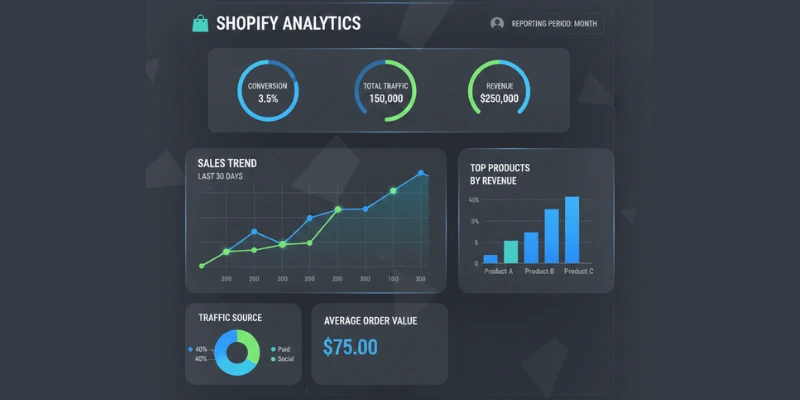
Use tools like Google Analytics, Shopify Analytics, and heat mapping tools like Hotjar to gather insights and make informed optimization decisions.
10. Regular Content Updates and Maintenance
An optimized Shopify store requires ongoing maintenance and updates. Regularly updating content, fixing issues, and staying current with best practices ensures your store continues to perform well.
Maintenance Checklist:
- Content Updates:Regularly update product descriptions, blog posts, and landing pages with fresh, relevant content.
- Security Updates:Keep your theme, apps, and Shopify platform updated to the latest versions for security and performance.
- Broken Link Checks:Regularly scan for and fix broken links that hurt user experience and SEO.
- Performance Monitoring:Continuously monitor site speed and performance, making adjustments as needed.
- SEO Audits:Conduct regular SEO audits to identify and fix issues affecting search rankings.
- User Testing:Periodically test your store from a customer's perspective to identify usability issues.
Conclusion: Transform Your Shopify Store Today
Optimizing your Shopify store is an ongoing process that requires expertise, attention to detail, and a strategic approach. By implementing these 10 essential optimization tips, you can significantly improve your store's performance, increase sales, and provide a better experience for your customers.
However, store optimization can be time-consuming and complex. If you need professional assistance,PyramiqSoftoffers comprehensiveShopify expert servicesincluding store optimization, custom theme development, app integration, and ongoing maintenance.
Our team, led byKhawar Saleem Qamar, has extensive experience helping businesses maximize their Shopify store's potential. Whether you need a complete store overhaul or specific optimizations, we're here to help.
Ready to optimize your Shopify store?Contact PyramiqSoft today:
- Phone:+923211802109
- Email:company@pyramiqsoft.com
- Website:https://pyramiqsoft.com
Don't let a poorly optimized store hold your business back. Start implementing these strategies today, or let our experts handle the optimization for you. Your customers—and your bottom line—will thank you.